Home Platform Industries Why Prediktis Company 12-month offer Contact

CMMS software
for industrial assets.

Work orders, preventive plans, the asset register, spare parts and the maintenance budget in one online platform for every site. No spreadsheets and no requests lost on the phone.

What a CMMS is

Everything that happens to a machine, in one place.

A CMMS (computerized maintenance management system) is where the maintenance team plans, records and measures its work: who reported the problem, what was done, how long it took, which parts were used and what it cost.

In many plants and utilities this information is split between phone calls, spreadsheets, paper logs and people’s memory. A CMMS keeps it on the asset, so the history of every machine stays with the company even when people change.

PREDIKTIS adds sensor-based condition monitoring on top of the CMMS, so a vibration alarm can turn straight into a planned job.

Work orders

Every intervention, a ticket on the asset.

The ticket shows who reported it, the work type, priority, department, assigned technician, planned hours and deadline. It is closed with photos and time spent.
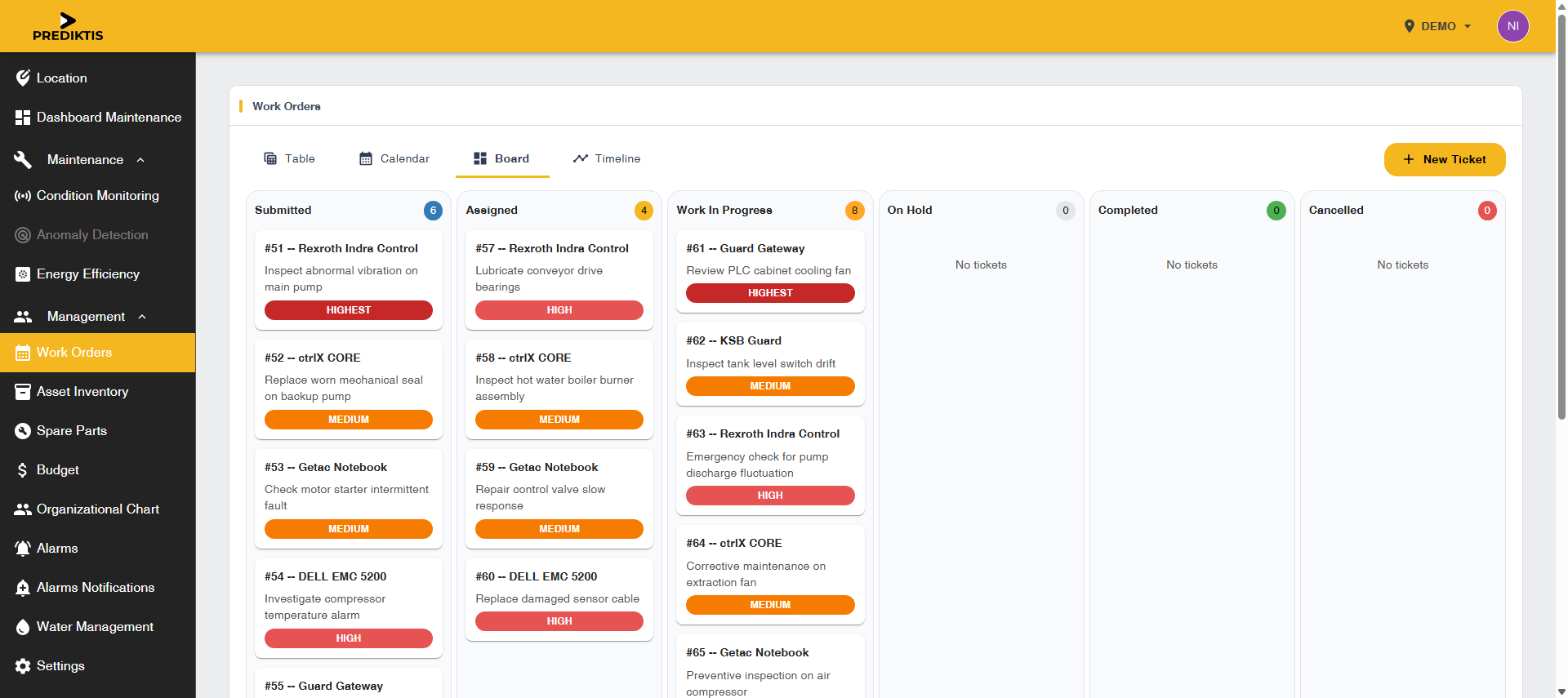
  • Preventive, corrective and inspection work
  • The same tickets as a table, calendar, board and timeline
  • Overdue plans and incomplete tickets on the dashboard
  • A full repair history for every asset
Work orders board in PREDIKTIS
Assets and spare parts

Know what you own and what each machine needs.

The equipment register is linked to the spare parts that keep it running, so the part is on the shelf before the breakdown, not ordered after it.
  • Equipment by site, type, working hours and criticality
  • A QR code on every asset to open its record from the floor
  • Stock, bin, warehouse, minimum level and reorder quantity per part
  • Inventory value per part and per cost center
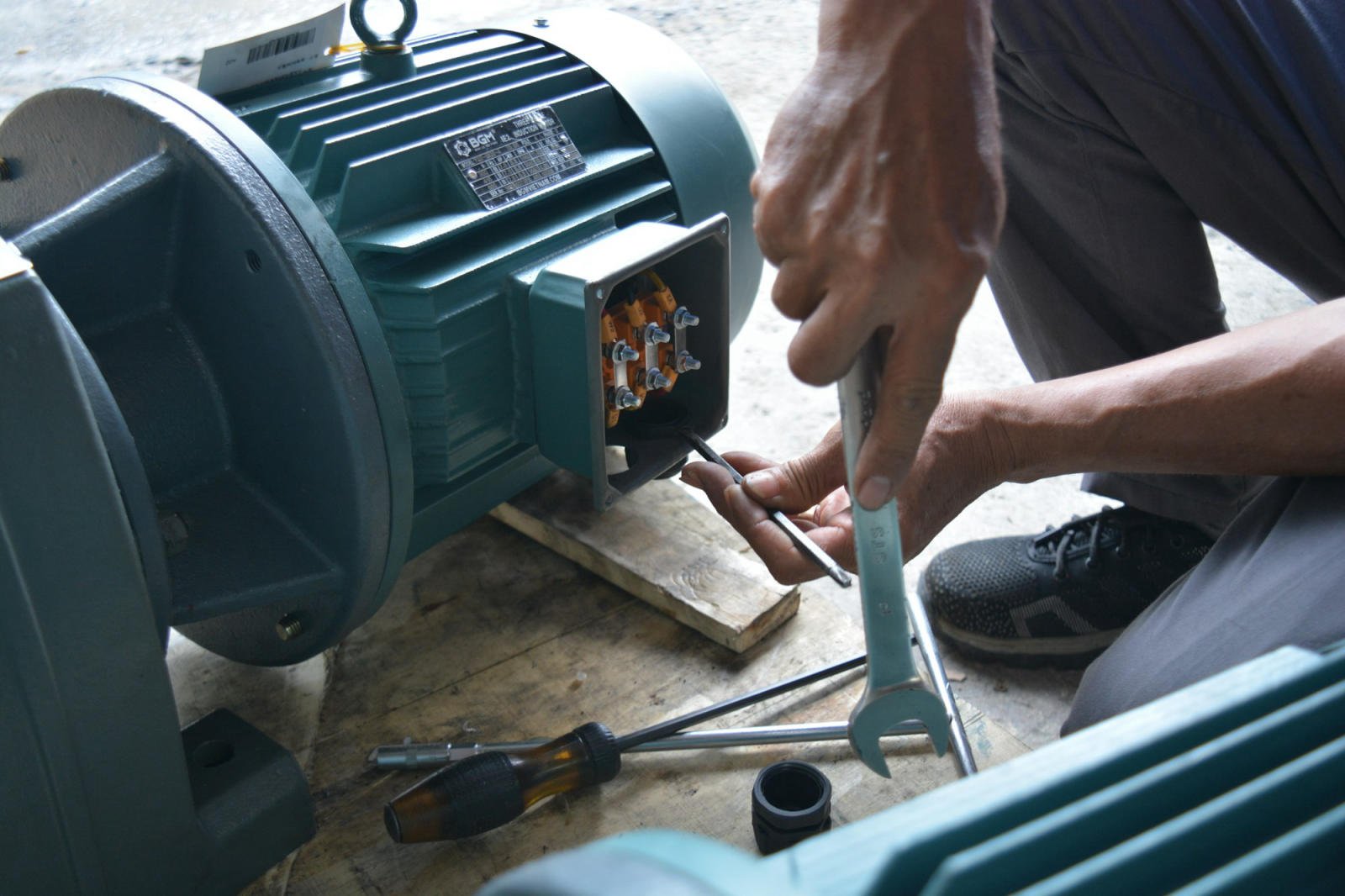
Technician working on an electric motor● Bearing kit SP-01 · 2 in stock · reorder 6
Maintenance budget

Spend you can see during the month.

Plan the budget per cost center and see where it goes as work is logged: routine maintenance, emergency repairs and capital projects.
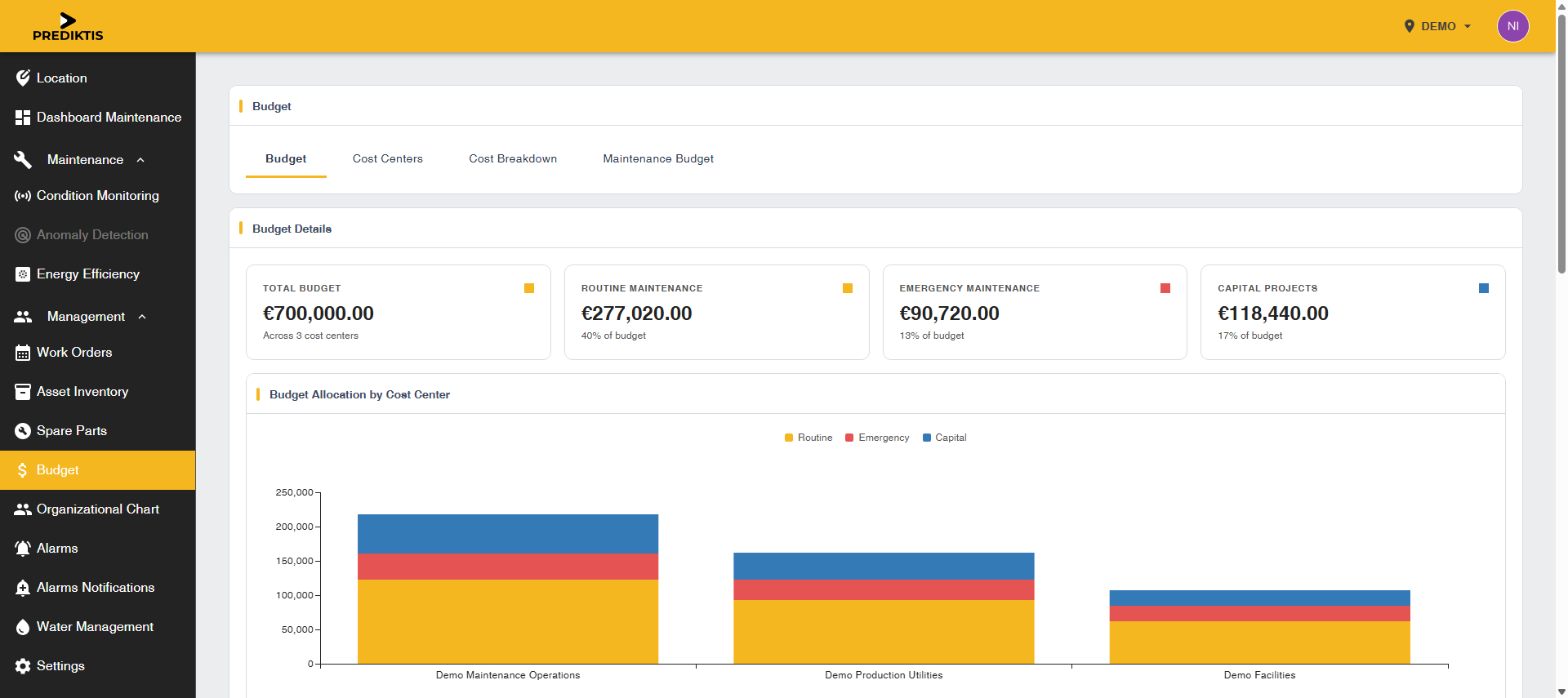

  • Cost centers with GL account codes
  • Budget, spent and remaining per cost center
  • Maintenance cost and downtime causes on the dashboard
Budget per cost center in PREDIKTIS
From spreadsheets to CMMS

What changes compared with spreadsheets and phone calls.

The concrete differences a maintenance team sees in the first months.

01

No lost requests

Every reported problem becomes a ticket with an owner and a deadline, not a forgotten call.

02

Preventive work on time

Recurring plans show in the calendar and overdue ones stand out on the dashboard.

03

Parts in stock

Minimum levels and reorder quantities show what to order before a breakdown.

04

Cost per asset

Labour and parts of every job land on the asset and the right cost center.

05

Team and contractors

An organizational chart with skills, departments and contractors for assigning work.

06

Plus monitoring

Vibration and temperature sensors turn warnings into planned jobs.

Implementation

How you get started with PREDIKTIS.

01

Assessment

We list your critical assets, the data you already have and what you want to improve.

02

Setup

Sites, assets, teams and spare parts are configured.

03

Pilot

Your team uses the platform on one site. We adjust workflows and reports together.

04

Rollout

After the pilot is reviewed, more sites, assets and modules are added.

FAQ

About CMMS software.

What does CMMS stand for?
Computerized Maintenance Management System. It manages work orders, assets, spare parts and maintenance costs.
Do we need to install anything?
No. PREDIKTIS runs in the browser on desktop, tablet and phone. Technicians can open an asset’s record by scanning the QR code on the equipment.
Can we use only the CMMS, without sensors?
Yes. Work orders, the asset register, spare parts and budgets work on their own. Sensors can be added later for condition monitoring.
Can we manage several sites?
Yes. Every site is a separate location, picked from a map or a list, and the dashboard shows all of them or just one.
Can we export our data?
Yes. Tickets, assets, spare parts, budgets and alarm history can be exported.
How much does it cost?
The offer depends on the number of sites and assets and the modules you use. We usually start with a pilot on one site, with targets agreed beforehand. Write to us and we will send a proposal.
Online demo

See the CMMS on
your own assets.

In 30 minutes we show you the platform on equipment like yours and sketch a pilot for one site.